Масштабируемый маркетплейс-стартер для B2C
от rigby
Этот стартер предоставляет полноценную платформу маркетплейса. В комплекте витрина, админка маркетплейса и панели продавцов, а также сплит-комиссии в корзине, чаты поддержки и многое другое.
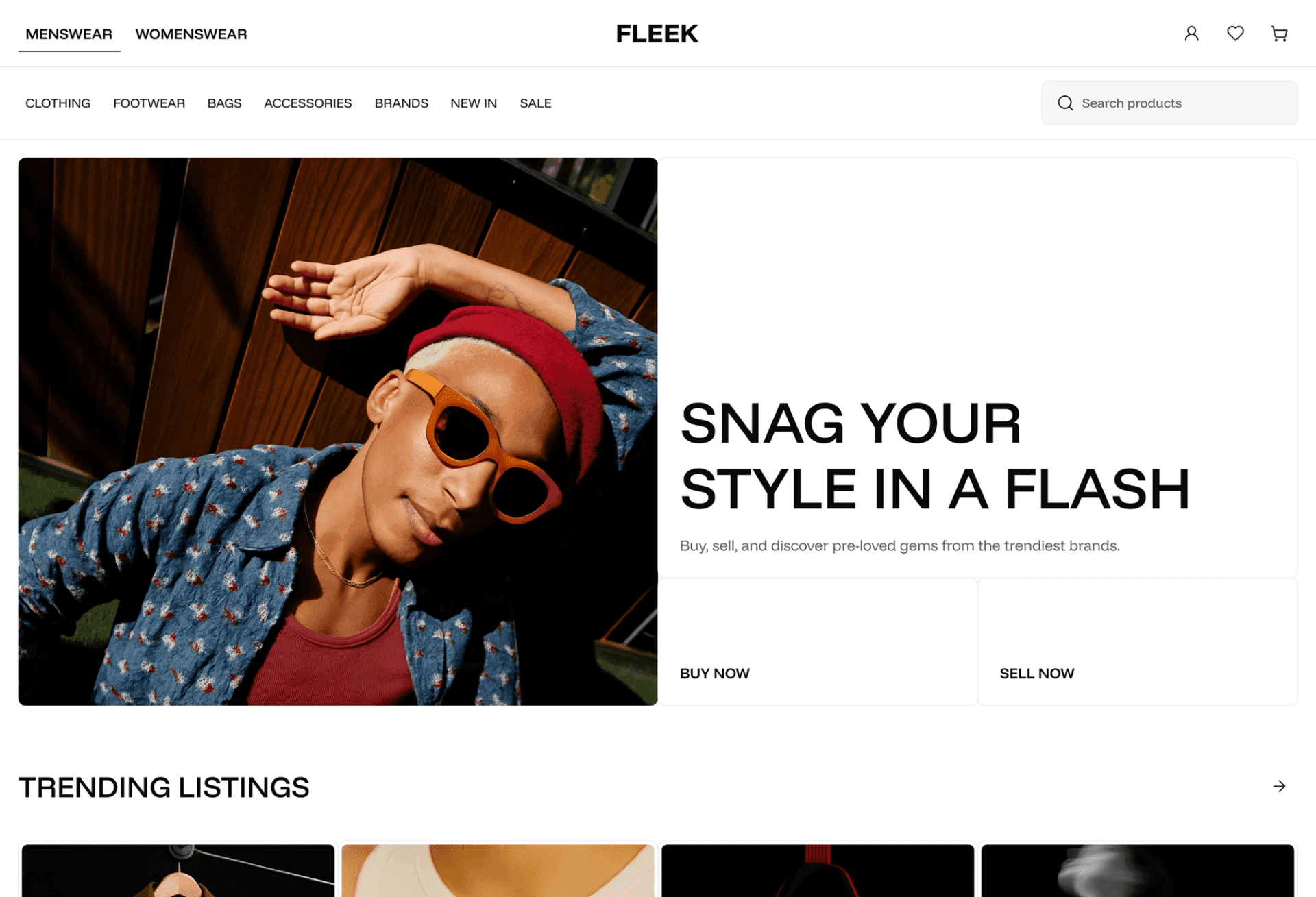
B2C Storefront
for Mercur - Open Source Marketplace Platform
🛍️ B2C Marketplace Storefront Demo · Mercur Website · 📃 Explore the docs
B2C Storefront for Marketplace
Customizable storefront designed for B2C with all elements including browsing and buying products across multiple vendors at once.
Ready to go:
- Home Page - 🛍️ Check demo
- Listing
- Product Page
- Shopping Cart
- Seller Page
- Selling Hub - Moved to external VendorPanel
- Wishlist
Part of Mercur
Mercur is an open source marketplace platform that allows you to create high-quality experiences for shoppers and vendors while having the most popular Open Source commerce platform MedusaJS as a foundation.
Mercur is a platform to start, customize, manage, and scale your marketplace for every business model with a modern technology stack.
Quickstart
Installation
Clone the repository
git clone https://github.com/mercurjs/b2c-marketplace-storefront.gitGo to directory
cd b2c-marketplace-storefrontInstall dependencies
yarn installMake a .env.local file and copy the code below
1# API URL2MEDUSA_BACKEND_URL=http://localhost:90003# Your publishable key generated in mercur admin panel4NEXT_PUBLIC_MEDUSA_PUBLISHABLE_KEY=5# Your public url6NEXT_PUBLIC_BASE_URL=http://localhost:30007# Default region8NEXT_PUBLIC_DEFAULT_REGION=pl9# Stripe payment key. It can be random string, don't leave it empty.10NEXT_PUBLIC_STRIPE_KEY=supersecret11# Backend cookie secret12REVALIDATE_SECRET=supersecret13# Your site name in metadata14NEXT_PUBLIC_SITE_NAME="Fleek Marketplace"15# Your site description in metadata16NEXT_PUBLIC_SITE_DESCRIPTION="Fleek Markeplace"17# Algolia Application ID18NEXT_PUBLIC_ALGOLIA_ID=supersecret19# Algolia Search API Key20NEXT_PUBLIC_ALGOLIA_SEARCH_KEY=supersecret21#TalkJS APP ID22NEXT_PUBLIC_TALKJS_APP_ID=<your talkjs app id>Start storefront
yarn devGuides
How to get Aloglia Keys
How to get TalkJs App ID
Configure Algolia index
To work Algolia correctly you need to configure facets and searchable attributes. You can use import function to upload algolia-config.json file
In Algolia dashboard chose your index and select Import configuration from Manage index dropdown menu
1{2 "settings": {3 "minWordSizefor1Typo": 4,4 "minWordSizefor2Typos": 8,5 "hitsPerPage": 20,6 "maxValuesPerFacet": 100,7 "searchableAttributes": [8 "title",9 "subtitle",10 "brand.name",11 "tags.value",12 "type.value",13 "categories.name",14 "collection.title",15 "variants.title"16 ],17 "numericAttributesToIndex": null,18 "attributesToRetrieve": null,19 "unretrievableAttributes": null,20 "optionalWords": null,21 "attributesForFaceting": [22 "average_rating",23 "filterOnly(categories.id)",24 "categories.name",25 "seller.handle",26 "seller.store_status",27 "filterOnly(supported_countries)",28 "searchable(title)",29 "variants.color",30 "variants.condition",31 "variants.prices.currency_code",32 "variants.size"33 ],34 "attributesToSnippet": null,35 "attributesToHighlight": null,36 "paginationLimitedTo": 1000,37 "attributeForDistinct": null,38 "exactOnSingleWordQuery": "attribute",39 "ranking": [40 "typo",41 "geo",42 "words",43 "filters",44 "proximity",45 "attribute",46 "exact",47 "custom"48 ],49 "customRanking": null,50 "separatorsToIndex": "",51 "removeWordsIfNoResults": "none",52 "queryType": "prefixLast",53 "highlightPreTag": "<em>",54 "highlightPostTag": "</em>",55 "alternativesAsExact": ["ignorePlurals", "singleWordSynonym"],56 "renderingContent": {57 "facetOrdering": {58 "facets": {59 "order": ["variants.color", "variants.size", "variants.condition"]60 },61 "values": {62 "variants.color": {63 "sortRemainingBy": "count"64 },65 "variants.condition": {66 "sortRemainingBy": "count"67 },68 "variants.size": {69 "sortRemainingBy": "count"70 }71 }72 }73 }74 },75 "rules": [],76 "synonyms": []77}